Know the moment your site goes down
PageChck checks your websites and APIs on a schedule, alerts your team in Slack, Teams, Google Chat, WhatsApp or by email when something breaks, and keeps the uptime history to prove it’s fixed.
Sign up with Google or GitHub in seconds.
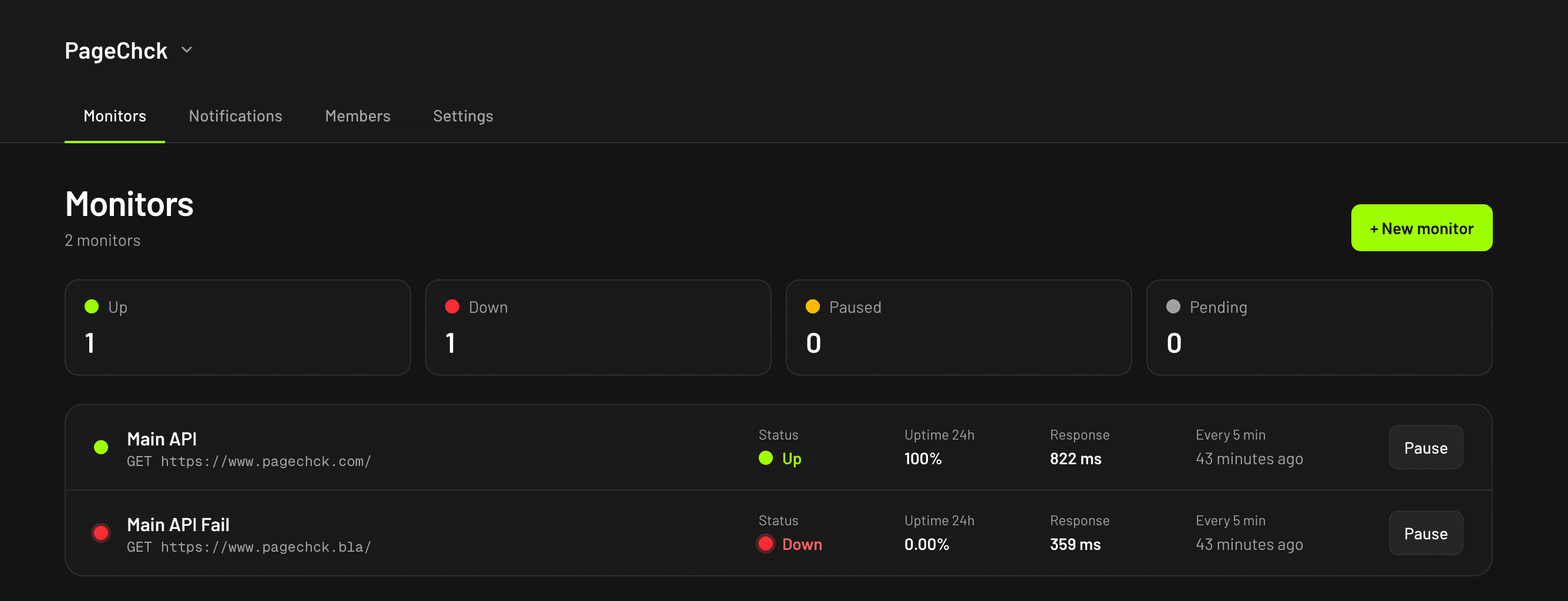
Everything you need to catch downtime first
Simple to set up, quiet when everything works, loud when it doesn’t.
HTTP checks for sites & APIs
Monitor any public URL with GET, HEAD or POST. Redirects are followed and only the status line is read, so checks stay light on your servers.
Your definition of up
Expect a specific status code, or accept any 2xx/3xx response. Set a timeout per monitor so slow endpoints count as down.
Alerts where your team works
Get a message when a monitor goes down, a reminder while it stays down and a note when it recovers — in Slack, Microsoft Teams, Google Chat, WhatsApp, by email, or as a signed webhook to your own tools.
Uptime & response times
See 24-hour and 30-day uptime, the latest response time and a timeline of recent checks for every monitor.
Certificate expiry warnings
We read the TLS certificate of every https monitor and warn you 30, 14 and 7 days before it expires.
Status pages & teams
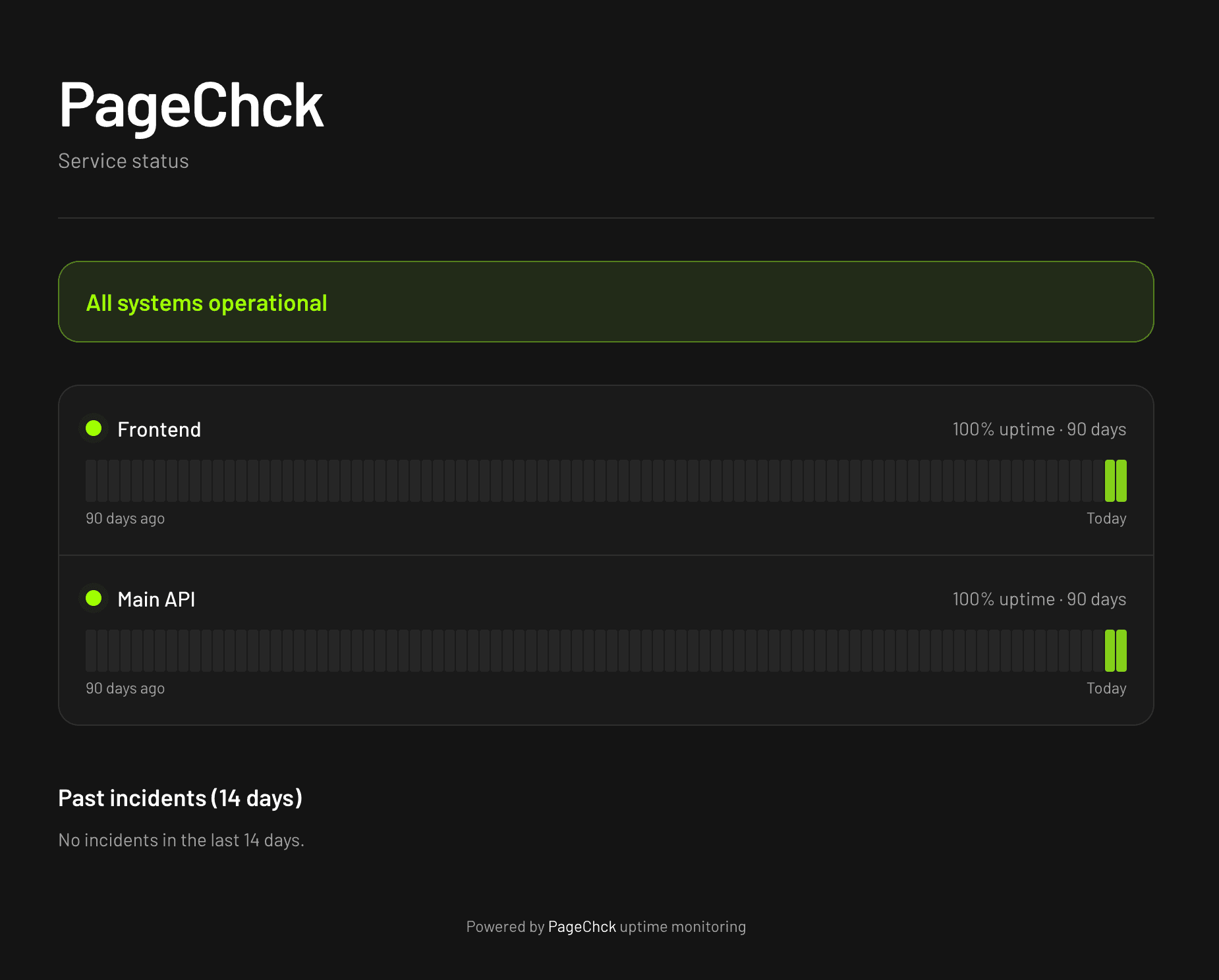
Publish a public status page with 90-day uptime, and share monitors and alert channels with teammates.
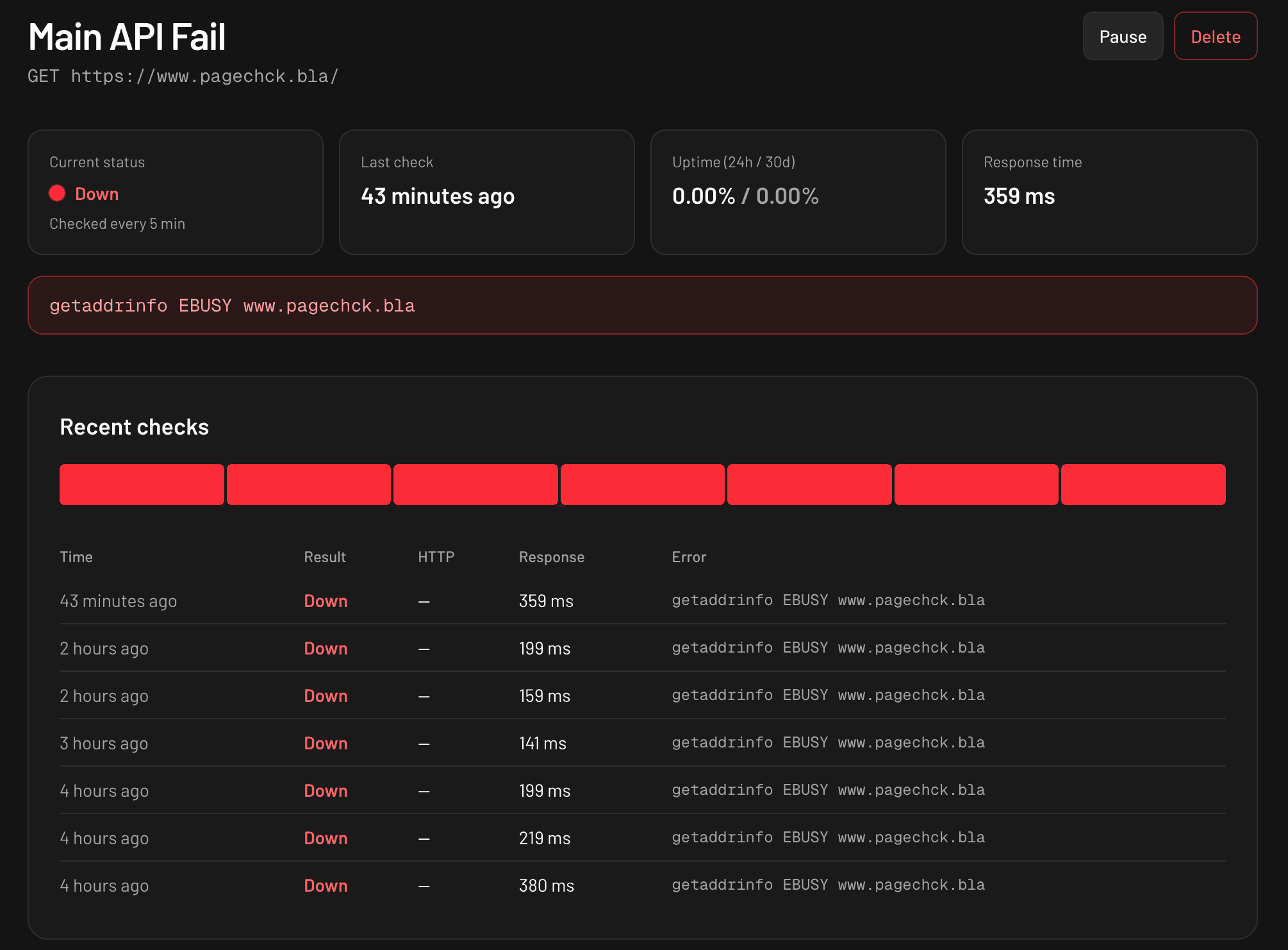
See what failed, and when
Every monitor has its own page with the current status, last check, uptime over 24 hours and 30 days, and the response time. The recent checks timeline shows each result with its HTTP status and the exact error.
- Uptime for the last 24 hours and 30 days
- Status code, response time and error per check
- Pause a monitor during maintenance
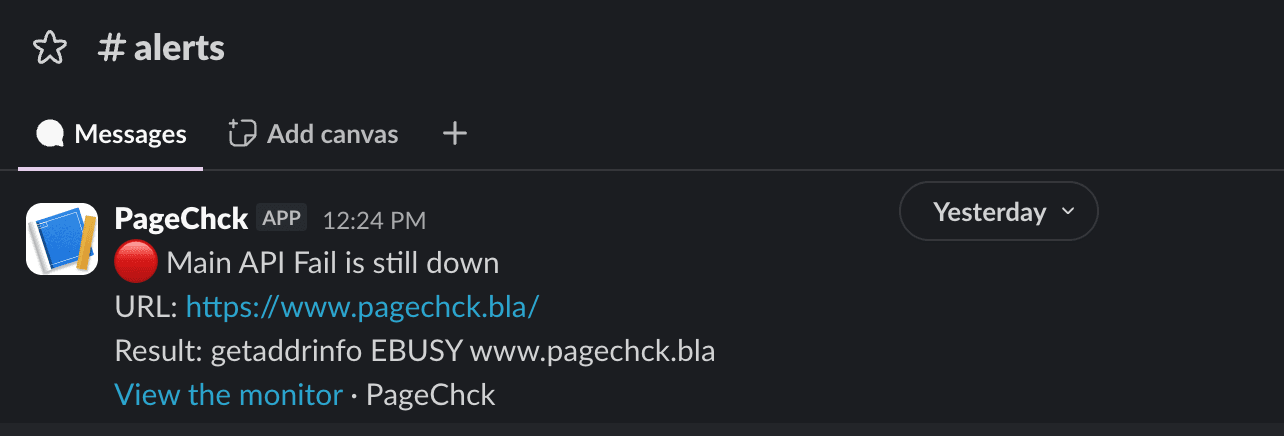
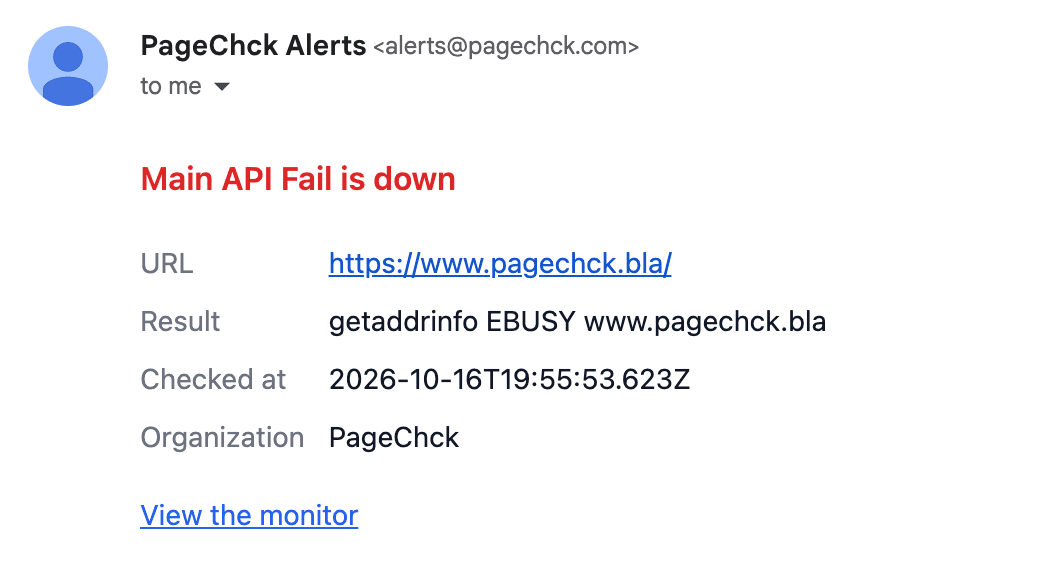
Alerts that say what broke
Every alert names the monitor, the URL and the exact error, with a link straight to its page. A failed check is retried before anyone is woken up, and reminders keep coming until someone acknowledges the incident.
- Down, still down and recovered, with the downtime
- Slack, Microsoft Teams, Google Chat, WhatsApp, email or a signed webhook
- Muted during maintenance windows
Keep your customers in the loop
Publish a public status page under your organization’s name. Visitors see whether everything is operational, 90 days of uptime for each service you choose, and what happened during recent incidents. The URLs you monitor are never shown.
- Choose which monitors appear
- 90-day uptime bars per service
- Ongoing and past incidents with your notes
Up and running in a few minutes
- 01
Sign up
Create your account with Google or GitHub and set up an organization for your team.
- 02
Add a monitor
Enter the URL, method and the status code you expect. Pick who gets alerted.
- 03
Get alerted
We check it on a schedule and tell you in Slack, Teams, Google Chat, WhatsApp or by email the moment it goes down.
Frequently asked questions
What does PageChck check?
An HTTP request to the URL you enter, with the method you choose (GET, HEAD or POST). A monitor is up when it returns the status code you expect, or any 2xx/3xx response if you don’t set one. Timeouts, DNS failures and connection errors count as down.
How am I notified?
Add Slack channels, Microsoft Teams channels and Google Chat spaces (through incoming webhooks), email addresses, WhatsApp numbers (on the Pro plan) and custom webhooks (a signed JSON POST to your own endpoint) as notification targets, then choose which ones each monitor alerts. You get an alert when a monitor goes down (after a failed check is confirmed by a second attempt), reminders at the interval you choose until someone acknowledges the incident, and a message with the downtime when it recovers. Maintenance windows mute alerts during planned work.
Does monitoring add load to my site?
Very little. Each check reads only the response status and closes the connection without downloading the body.
Can my team share monitors?
Yes. Monitors and notification targets belong to an organization. Invite teammates by email and give them the owner, admin or member role.
Can I monitor internal services?
Checks run from the public internet, so the URL must be publicly reachable. Private and internal network addresses are refused.
Start monitoring your sites and APIs today
Create your account, add your first monitor and connect Slack, Teams, Google Chat or email. You’ll know about the next outage before your users do.
Sign upNeed help fixing what broke?
PageChck is also a DevOps consultancy. Our engineers help teams on AWS, Google Cloud and Azure with infrastructure as code, CI/CD, observability and cost optimization.